App Features
Mobile shipping label printing for Shopee, Lazada, and TikTok Shop sellers
Three major platforms, one mobile app
Connect Shopee, Lazada, and TikTok Shop stores — sync orders, download shipping labels, and print from your phone.
Shopee
OAuth store linking, order sync, and shipping label printing for Shopee sellers.
Lazada
Authorize Lazada shops, refresh orders to ship, and download thermal-ready label PDFs.

TikTok Shop
Link TikTok Shop stores, sync orders, and print shipping labels on the go.
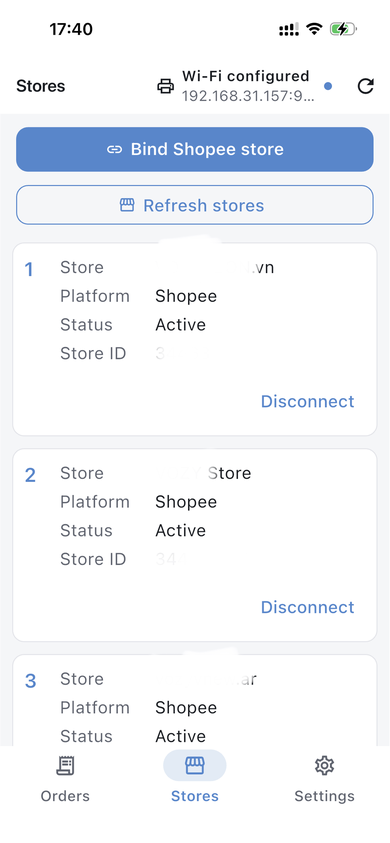
Bind Marketplace Stores
On the Stores tab, tap bind store to authorize your shop on a supported platform. Refresh the list to see connected shops and disconnect when needed.
- Secure store OAuth authorization
- Multiple stores supported
- Active / disconnect status
Orders & Label Printing
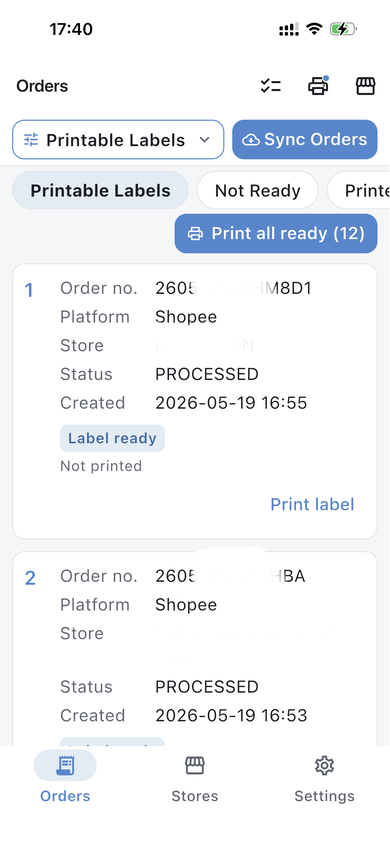
On the Orders tab, sync orders to ship, filter by label status, and print when ready—or print all ready labels in one batch.
- Sync orders from connected stores
- Label ready / not ready status
- Print single or batch labels
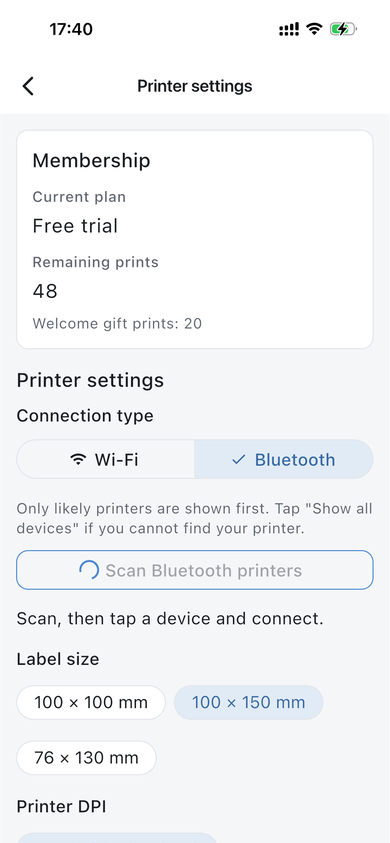
Printer Settings
Choose Bluetooth or Wi-Fi, pick label size and printer DPI, and see remaining print credits.
- Scan Bluetooth printers
- 100×100, 100×150, 76×130 mm sizes
- Remaining prints balance
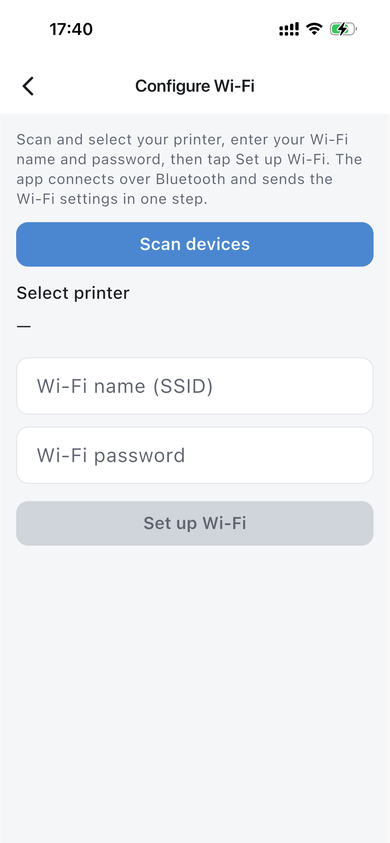
Configure Wi-Fi
Send Wi-Fi name and password to your printer over Bluetooth in one step.
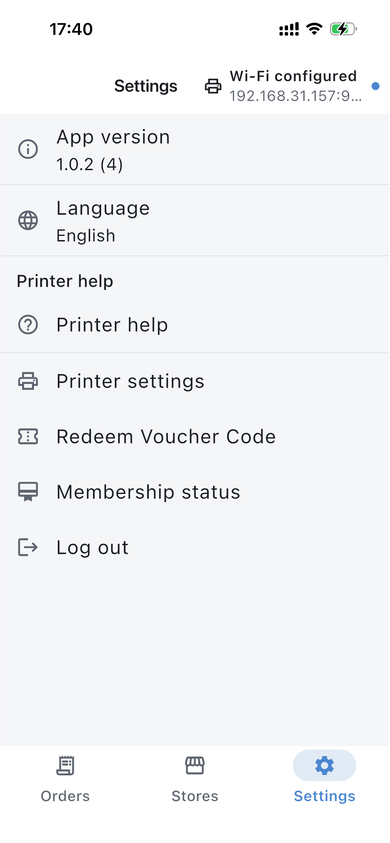
App Settings & Account
Check app version, change language, redeem vouchers, view membership status, and sign out from Settings.
Sign In
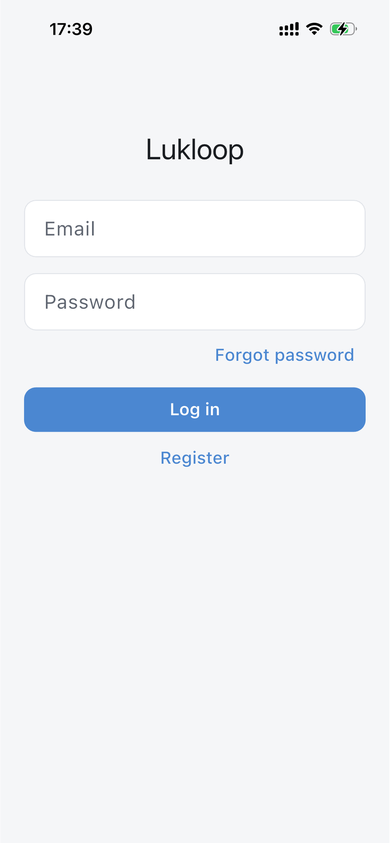
Log in with your email and password, or register a new account from the login screen.